The audio device could not be used 😶
Problems with the audio device
StageWave must use the same configuration as your audio device. If the device is set to a different sample rate, StageWave won’t work and will show this message:
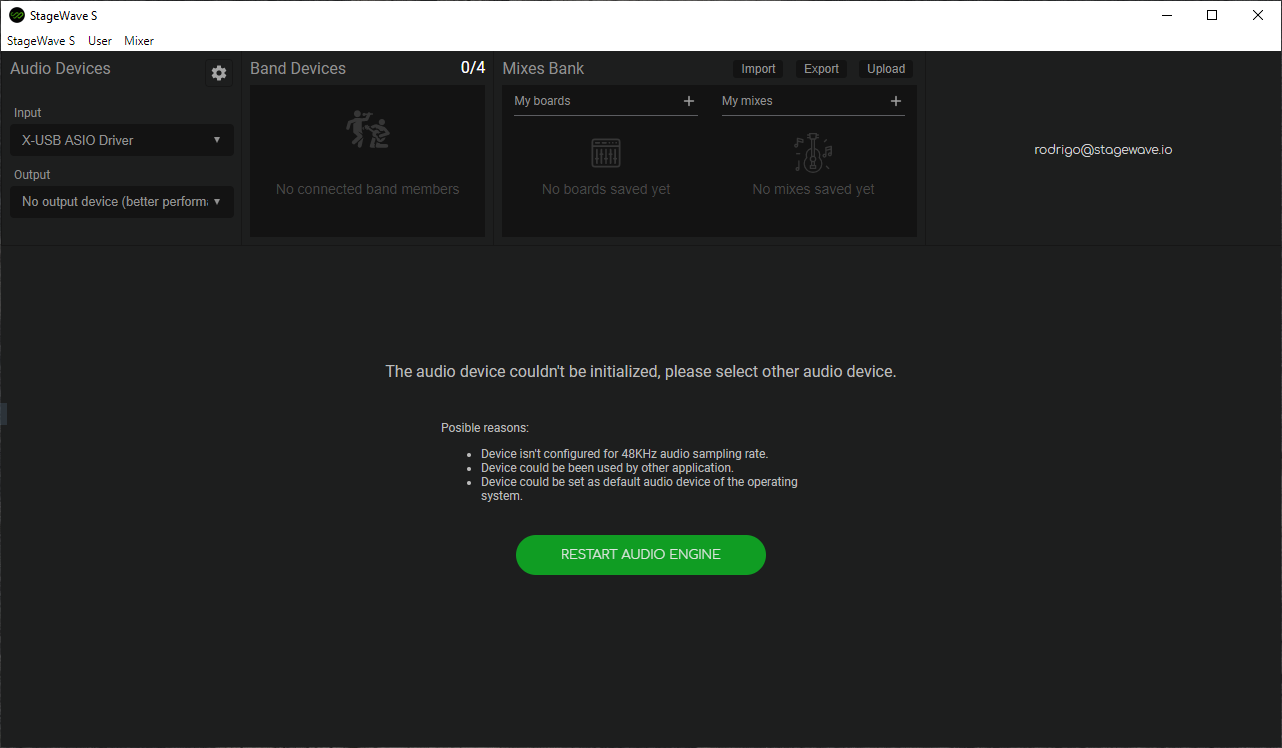
To fix it:
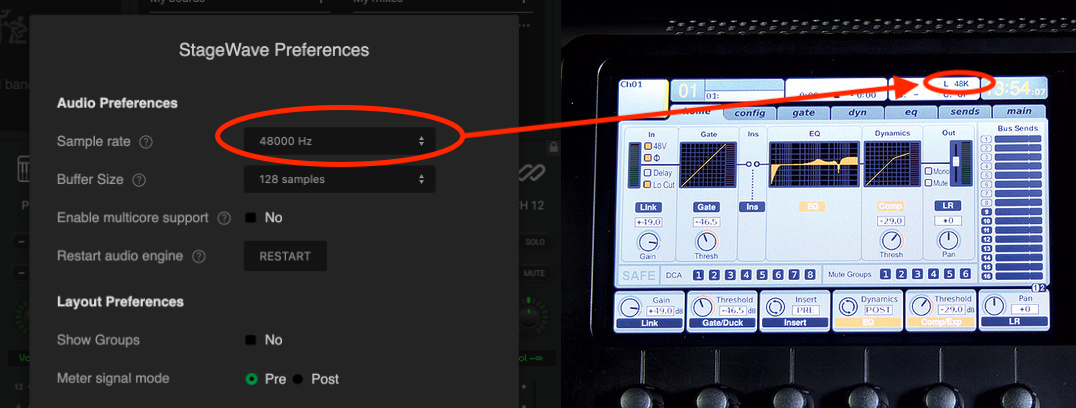
- Same Sample Rate: In StageWave, Sample Rate is set in the Audio Devices panel (gear icon in the top-right of that section). It must match your mixer or interface. Check that both are set to the same value (e.g. 48 kHz).
- Device free: Check that the audio device is not in use by other software (DAW, browser, etc.).
For example, the Behringer X32 needs to show the same sample rate you are using in StageWave, as the image shows.